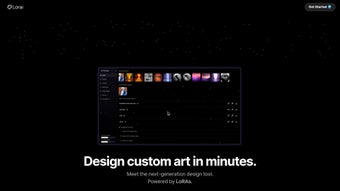

Download Lorai – AI Art Generator Without Coding, Free & Secure
Overview
Lorai is a cutting‑edge AI art generator that puts the power of custom image creation into the hands of anyone who can click a button. Unlike traditional stable‑diffusion pipelines that demand heavy‑weight fine‑tuning, Lorai leverages Low‑Rank Adaptations (LoRAs) to extend existing diffusion models with a fraction of the computational load. The result is a tool that lets you train a personal visual style in minutes, not hours, and then generate bespoke artwork without writing a single line of code.
Whether you are a graphic designer looking to speed up concept sketches, a marketer who needs on‑the‑fly social‑media visuals, an educator seeking engaging visual aids, or a hobbyist eager to experiment with AI‑driven creativity, Lorai offers a friendly UI, instant preview, and a workflow that feels more like painting than programming. By shrinking model size dramatically, Lorai runs comfortably on mid‑range laptops, desktop GPUs, and even cloud‑based notebooks, making it an accessible option for Windows, macOS, and Linux users alike. The platform also integrates with popular asset libraries, allowing you to import reference images, apply style‑transfer LoRAs, and export high‑resolution results directly to your preferred format.
Regular automatic updates keep the underlying diffusion engine current, while built‑in security checks verify every download and model file. In short, Lorai transforms the complex world of AI image synthesis into an intuitive, time‑saving experience that anyone can master.
Key Features of Lorai
Lorai’s feature set is designed to cater to both beginners and power users. Every tool is reachable from a single dashboard, and each function is documented with short video tutorials that appear the first time you open a module. Below is a comprehensive list of what you can expect from the application.
- LoRA‑Based Customization: Train low‑rank adapters in under ten minutes, dramatically reducing the training window compared with traditional fine‑tuning.
- Zero‑Code Interface: Drag‑and‑drop UI eliminates the need for scripting, making AI art creation accessible to non‑technical users.
- Model Size Efficiency: LoRAs keep final model files under 100 MB, enabling quick downloads and low‑storage footprints.
- Cross‑Platform Compatibility: Native installers for Windows, macOS, and Linux; also offers a web‑based version for Android and iOS browsers.
- Real‑Time Preview: See generated images update instantly as you tweak prompts, style weights, or LoRA parameters.
- Asset Library Integration: Import reference images, textures, or mood boards directly into the workspace for guided generation.
- Batch Export & Automation: Queue multiple prompts and export results in PNG, JPEG, or TIFF with customizable resolution settings.
- Secure Cloud Sync: Optional cloud storage encrypts your LoRA models and generated assets, ensuring privacy while enabling collaboration.
- Built‑In Prompt Assistant: An AI‑powered helper suggests prompt improvements and warns about potentially harmful content.
- Extensible Plugin System: Developers can add custom filters, post‑processing effects, or new base models via a simple API.
Installation & Usage Instructions
Step‑by‑Step Installation
Getting started with Lorai is straightforward. Follow these steps to have the software up and running in under five minutes:
- Visit the official Lorai website and click the Download for Windows/macOS/Linux button that matches your operating system.
- The installer package (
.exe,.dmg, or.tar.gz) will begin downloading. Verify the SHA‑256 checksum provided on the download page to ensure file integrity. - Run the installer and accept the license agreement. The wizard will guide you through selecting the installation directory and optional shortcuts.
- After installation, launch Lorai. The first launch will prompt you to create a free account or sign in with Google/Apple for cloud sync.
- Once logged in, the main dashboard appears, displaying a New Project button, recent projects, and a quick‑start tutorial.
System Requirements & Troubleshooting
While Lorai is lightweight, optimal performance benefits from a modern GPU. Minimum requirements are an NVIDIA GTX 1060 (or AMD equivalent) with 6 GB VRAM, 8 GB of RAM, and a recent version of Windows 10/11, macOS 12+, or any current Linux distribution with kernel 5.4+. If you encounter driver issues, updating to the latest GPU drivers from the manufacturer usually resolves the problem. For users on older hardware, enable the “CPU‑only mode” in Settings; expect longer generation times but full functionality.
Creating Your First LoRA
With Lorai installed, you can begin training a LoRA in minutes:
- Select a Base Model: Choose from popular stable‑diffusion checkpoints such as SD‑1.5 or SD‑2.1.
- Upload Training Images: Drag a folder of 10‑50 images that represent the style you want to capture.
- Configure Training Parameters: Set the LoRA rank (default 4), learning rate, and epoch count. For most users, the preset “Fast 10‑Minute” profile works perfectly.
- Start Training: Click Train LoRA. Lorai will display a live loss graph and estimated time remaining.
- Save & Apply: Once training finishes, the LoRA appears in your Model Library. Select it, adjust its weight, and start generating images with the new style.
Generating Artwork
Generating images is as simple as typing a prompt:
- Open a new canvas, type a natural‑language description (e.g., “a cyberpunk cityscape at dusk, neon reflections”).
- Choose the LoRA you created, set its influence slider (0‑1), and optionally add a negative prompt to steer away from unwanted elements.
- Press Generate. Within seconds, a preview appears. Refine the prompt or LoRA weight until the result matches your vision.
- When satisfied, click Export and select the resolution (up to 4 K) and file format.
Tips for best results include using high‑contrast training images, keeping the LoRA weight between 0.3 and 0.7 for subtle influence, and experimenting with the “Guidance Scale” slider to control adherence to the prompt.
Compatibility, Pros & Cons
Lorai is built on a cross‑platform foundation, delivering native installers for the three major desktop operating systems and a responsive web app that works on Android and iOS browsers. The desktop version requires at least an NVIDIA GTX 1060 or equivalent GPU with 6 GB VRAM for optimal performance, though a CPU‑only fallback is available for low‑resolution testing. macOS users benefit from Metal acceleration, while Linux distributions can install via a simple deb or rpm package. For those on lower‑end hardware, Lorai’s cloud‑render option provides a secure, pay‑as‑you‑go GPU instance, ensuring no one is locked out due to hardware limitations. Cloud credits are replenished monthly for free‑tier accounts, and additional minutes can be purchased in bundles of 10, 50, or 100 at competitive rates.
Pros
- Speed: Reduces training time from hours to minutes, boosting productivity.
- Resource‑Friendly: Small LoRA files keep storage and RAM usage low.
- User‑Centric UI: No coding required; intuitive drag‑and‑drop workflow.
- Cross‑Platform: Works on Windows, macOS, Linux, and mobile browsers.
- Secure Cloud Sync: End‑to‑end encryption protects your custom models.
- Scalable Export: Supports batch processing and high‑resolution outputs up to 4K.
- Active Community: A growing forum provides templates, tutorials, and peer feedback.
Cons
- GPU Requirement for Full Speed: Best performance still needs a modern GPU; CPU fallback is noticeably slower.
- Learning Curve for Advanced LoRA Tuning: While basic usage is simple, mastering fine‑grained LoRA parameters may require additional reading.
- Limited Free Cloud Credits: Free tier offers limited GPU minutes; heavy users may need a paid plan.
- Plugin Ecosystem Still Maturing: Fewer third‑party plugins than some older platforms, though the roadmap promises rapid growth.
Frequently Asked Questions
Is Lorai free to use?
Lorai offers a fully functional free tier that includes unlimited LoRA creation and local GPU rendering. Cloud rendering credits are limited, but you can purchase additional minutes as needed, and there are no hidden subscription fees for the desktop version.
Can I import my own Stable Diffusion checkpoints?
Yes. The application supports custom checkpoints in the .ckpt or .safetensors format. Simply add them to the Model Library and select them as the base for your LoRA training.
Do I need a powerful GPU to train LoRAs?
Training a LoRA is intentionally lightweight; a mid‑range GPU (e.g., GTX 1060 or RTX 2060) can finish a typical 10‑minute session. Users without a suitable GPU can switch to the cloud rendering option, which charges only for the minutes used.
Is my data safe when using Lorai’s cloud sync?
All cloud data is encrypted at rest and in transit using AES‑256 encryption. Lorai never stores your raw images; only the derived LoRA weights are synced, ensuring privacy.
Can I export artwork at 4K resolution?
Absolutely. The export dialog lets you select resolutions up to 3840 × 2160 (4K) and choose between PNG, JPEG, or TIFF formats for lossless quality.
How often does Lorai receive updates?
The development team releases minor updates every two weeks, adding new base models, UI refinements, and security patches. Major releases with new features are rolled out quarterly.
Conclusion – Why You Should Download Lorai Today
Lorai stands out in a crowded AI art market by delivering a truly user‑first experience. Its LoRA‑centric architecture slashes training time, reduces model bloat, and removes the need for code, making high‑quality, personalized artwork accessible to anyone with a modern computer or internet connection. The cross‑platform support, secure cloud sync, and powerful batch export features further cement Lorai as a versatile tool for designers, marketers, educators, and hobbyists alike.
While a capable GPU enhances real‑time performance, the optional cloud rendering ensures that hardware limitations never become a barrier. If you’re looking to generate unique visuals quickly, experiment with style adaptation, or simply explore AI‑driven creativity without a steep learning curve, Lorai is the answer. Download Lorai now, start your first LoRA in under ten minutes, and watch your artistic ideas come to life instantly.



.png)



